

Most mid-market businesses finish their CRM rollout and assume the hard part is over. The platform is live. The data is migrated. The team has been trained. Then, three to six months later, adoption sits below expectations and the CRM automation you paid for is running at a fraction of its capacity.
The barriers that block CRM automation success are rarely about the technology itself. They sit in the gaps between your data, your processes, and your team's willingness to trust what the system is doing. UpLaunch helps Australian businesses close those gaps methodically, in the right order.
This article maps the most common post-implementation barriers to CRM automation and gives you a clear view of what to fix first.
Key Takeaways: Barriers to CRM Automation Success
- Dirty or inconsistent data is the single most common reason CRM automation underdelivers after go-live.
- Automation built on undefined or undocumented processes replicates manual errors at greater speed and volume.
- Low user adoption often traces back to opaque workflows that the team cannot verify or trust.
- UpLaunch structures CRM automation projects so each barrier is addressed in a sequenced, dependency-aware order.
- Governance gaps after implementation let CRM automation drift out of alignment with your actual business operations.
Barriers That Stall CRM Automation After Implementation
1. Dirty Data Undermining Every Automated Workflow
Your CRM automation is only as reliable as the records it reads. Duplicate contacts, missing fields, and inconsistent formatting cause workflows to misfire, assign leads to the wrong owner, or trigger emails that reference outdated information.
A data quality issue in one field cascades through every automation that touches it. Clean records make an automated workflow look brilliant. Messy records make it automate the mess faster. Before layering on new automation, run a data quality audit to identify which fields are unreliable and fix them in priority order.
2. Undefined Processes Baked into Automation
Automation should codify a process that already works. When the process itself is unclear, the automation simply replicates confusion at higher velocity. You end up with leads routed based on criteria nobody agreed on, or deal stages that do not reflect how your sales team actually moves an opportunity forward.
The fix starts before you open the workflow builder. Map your current process, identify the decision points, and confirm them with the people who run those steps daily. Only then does automating that process add value.
3. Opaque Workflows That Erode Team Trust
When a CRM field changes and nobody can explain why, trust breaks down fast. Sales teams revert to spreadsheets. Managers stop relying on pipeline reports. According to a 2026 analysis from Checkpoint GTM, teams that ship transparent automation first and add complexity later see consistently higher adoption rates than those who optimise for sophistication on day one.
Transparency means naming every automated action in the field description, documenting which workflow changed a value, and giving your team a one-page automation map they can reference without asking the implementation team.
4. No Clear Ownership of Automation After Go-Live
Implementation projects have a defined team and a timeline. Once the project closes, ownership of the automation layer often becomes unclear. Nobody is responsible for reviewing whether workflows still match reality, or whether new fields have been added without corresponding automation updates.
This governance gap is where automation starts to drift. Assigning a CRM operations owner who reviews automation health on a monthly cadence is one of the most effective steps you can take. UpLaunch provides ongoing managed support to fill this role until your internal team is ready to take it on.
5. Misaligned Automation Between Marketing, Sales, and Service
Each department builds automation for its own needs. Marketing sets up lead scoring. Sales builds deal-stage triggers. Service creates ticket routing. When these run independently, the customer experience fragments. A lead might receive a nurture email the same day a sales rep is closing the deal.
Alignment requires a shared view of the customer lifecycle and agreed handoff criteria between teams. UpLaunch helps you map cross-functional workflows in HubSpot so marketing, sales, and service automation operate from the same data, the same triggers, and the same handoff rules.
6. Over-Automation That Creates Noise Instead of Value
More automation does not always mean better outcomes. Automating every minor task produces a wall of notifications, internal emails, and task assignments that your team starts to ignore. When everything is automated, nothing feels important.
A useful constraint is to audit your automation list every quarter and ask one question per workflow: does this save a real person a real step they would otherwise do manually? If the answer is unclear, that workflow is a candidate for removal or simplification rather than further investment.
7. Insufficient Training on the Automation Layer
Teams are trained on how to use the CRM: how to log a call, create a deal, update a contact. They are rarely trained on how the automation layer works around them. When a lead assignment changes automatically or a follow-up task appears in their queue, they do not understand the trigger.
UpLaunch runs role-specific training sessions that walk each team through the automations relevant to their daily work. This closes the gap between knowing how to use the tool and trusting the system that operates behind it.
8. Integration Gaps That Break the Data Chain
Your CRM does not operate in isolation. It connects to your email platform, your accounting system, your customer support tools. When one of those integrations drops a sync or maps a field incorrectly, the data your automation relies on becomes unreliable without warning.
Build monitoring into your integration layer. Set alerts for sync failures. Review integration logs on a regular cadence. UpLaunch designs HubSpot integrations with error handling built in so a dropped sync does not silently corrupt downstream automation.
9. Lack of Measurable Automation Goals
If you cannot define what a successful automation looks like in measurable terms, you cannot evaluate whether it is working. Many businesses set up automation without attaching a target metric: reduced response time, increased lead-to-opportunity conversion, or fewer manual data entry hours per week.
Define a measurable outcome for each significant workflow. Review those metrics monthly. Where outcomes are not tracking, the automation needs adjustment or the underlying process needs a closer look. UpLaunch builds custom reporting dashboards in HubSpot to give you this visibility from day one.
10. Treating CRM Automation as a One-Time Project
The most persistent barrier is the assumption that automation is something you set up once and leave alone. Your business changes. Your team changes. Your customer base changes. Automation that matched your operations six months ago may no longer reflect reality today.
CRM automation is an operational system that requires regular review, the same way you review your financial reports or your sales pipeline. Building that review cadence into your quarterly rhythm is what separates businesses that get ongoing value from their CRM investment from those that quietly stop using half of it.
How to Remove CRM Automation Barriers in the Right Order
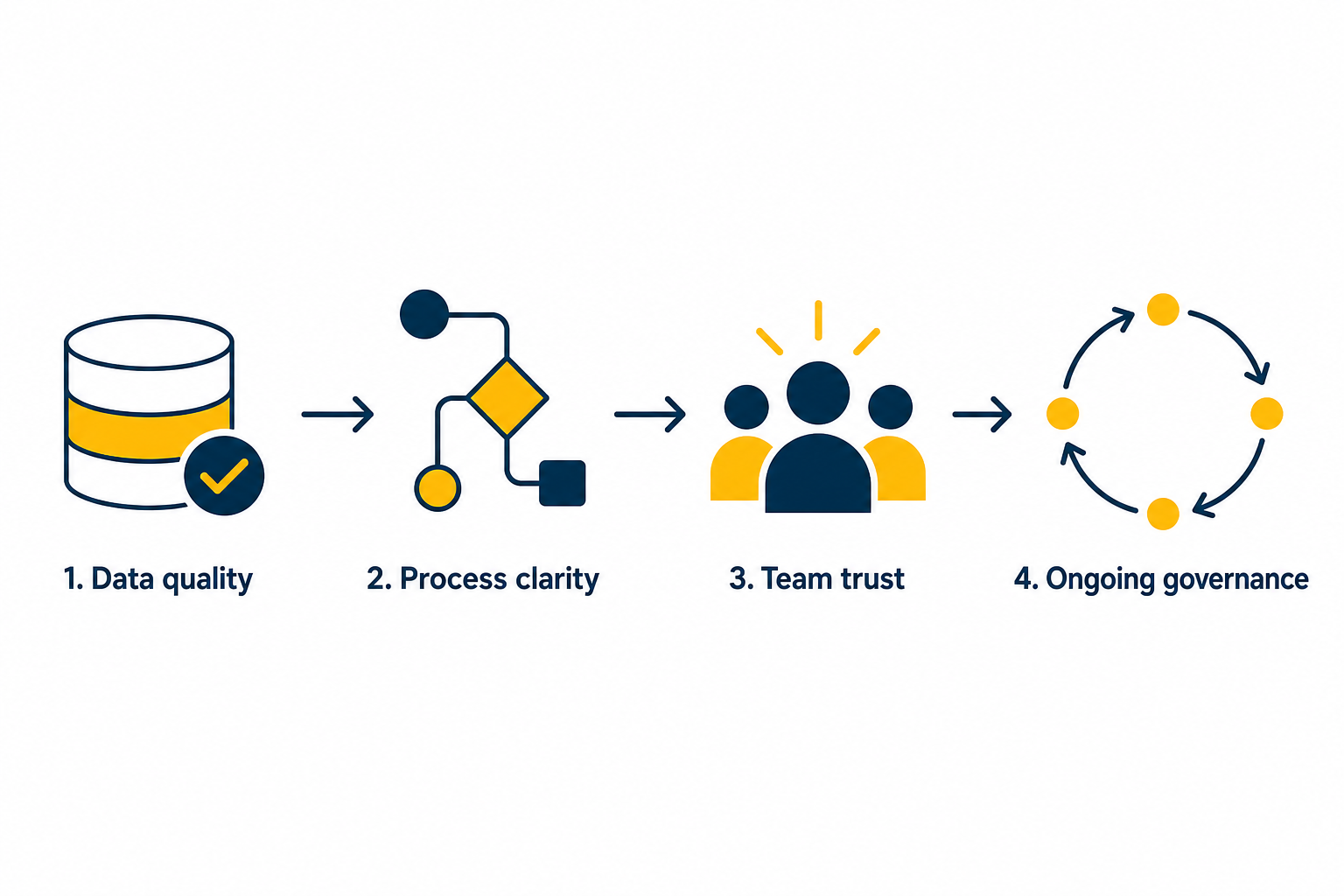
Fixing CRM automation is a sequencing problem. You cannot resolve adoption issues if the data is unreliable. You cannot measure automation ROI if the processes are undefined. UpLaunch approaches CRM automation recovery by identifying which barrier is blocking the others and resolving that one first.
If you are running HubSpot and your automation is not delivering the results you expected, UpLaunch can run a health check on your portal. You get a clear picture of what is working, what is not, and the order in which to fix it.
FAQs About CRM Automation Barriers
Why does CRM automation fail after implementation?
CRM automation typically fails post-implementation because of data quality issues, undefined business processes, and low user trust in automated workflows. The technology works, but the operational foundations it depends on are incomplete.
How does dirty data affect CRM automation?
Dirty data causes automated workflows to misfire. Duplicate records trigger duplicate actions, missing fields skip critical steps, and inconsistent formatting routes leads to the wrong team. UpLaunch runs data audits before activating new automation layers.
What is the biggest CRM adoption challenge for mid-market businesses?
The biggest challenge is often a lack of transparency in how automation changes data. When team members cannot trace why a field changed or a task appeared, they lose trust in the system and revert to manual workarounds.
How often should you review CRM automation?
Review your CRM automation on a quarterly cadence at minimum. Monthly reviews are preferable for high-volume workflows. Each review should check whether the automation still reflects your current process and whether the outcomes match your defined metrics.
Can you fix CRM automation without re-implementing the whole system?
In most cases, a full re-implementation is not necessary. The barriers are typically in data quality, process definition, and governance. Addressing these in the right sequence restores automation performance without rebuilding the platform. UpLaunch structures recovery projects to fix what is broken without disrupting what is working.
How does UpLaunch help with CRM automation issues?
UpLaunch diagnoses automation barriers in your HubSpot portal through structured health checks, identifies the dependency order, and works through each fix methodically. You get a documented action plan with hours against each step, and you keep the plan whether or not you proceed.
Planning a HubSpot build?
Choose a pack, add what you need and see your fixed price in two minutes.